
Solar Control Windscreen: Match the Tint and Eurocode Before You Order
UK glass shops: solar control, athermic and tinted windscreens are different eurocodes. Run the VIN, order eurocode + OE, and check the tint on delivery.
16 октября 2026 г.·8 мин чтения
Quick takeaway
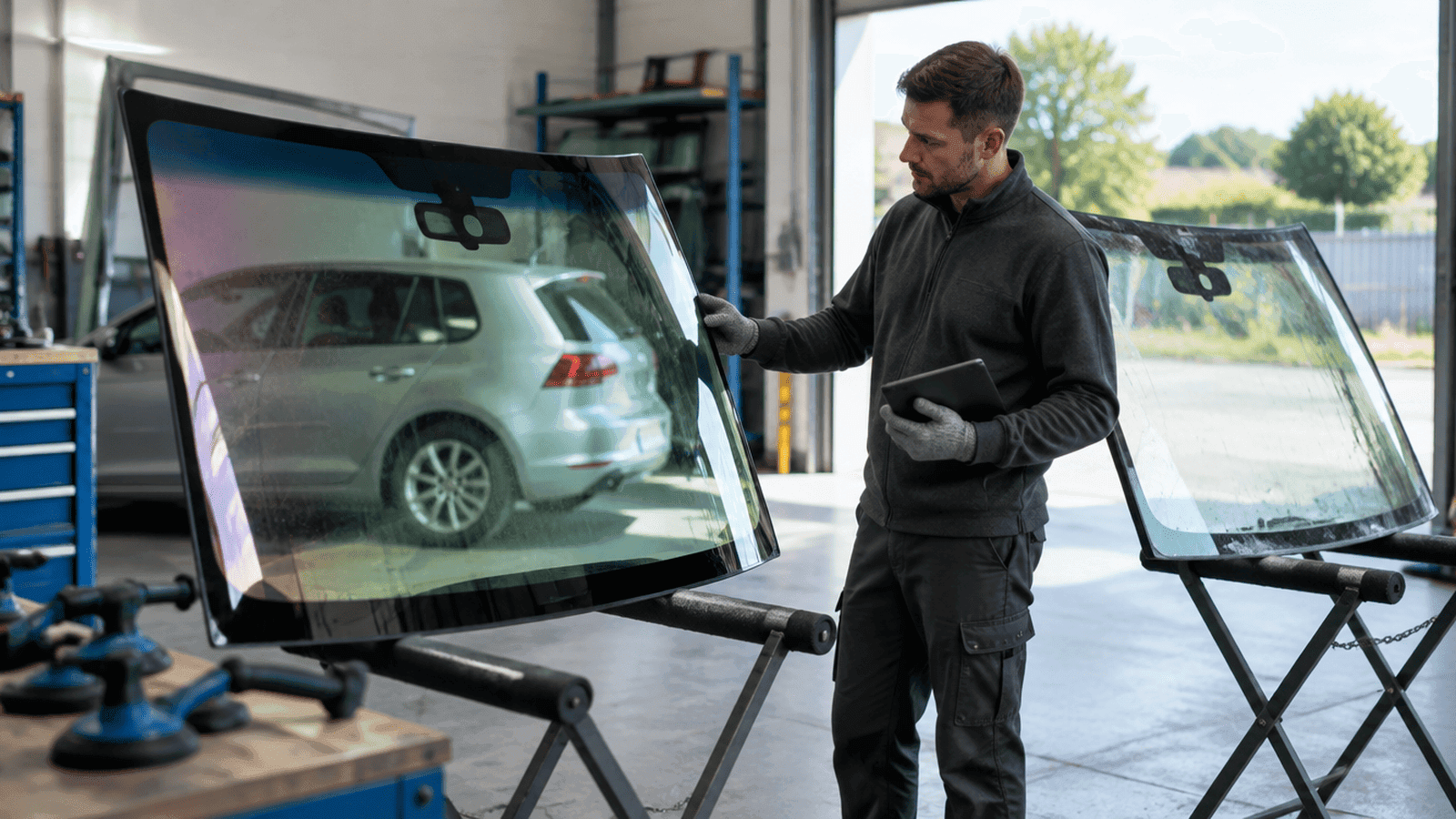
A solar control windscreen is not just “the green one”. Body tint, shade band colour, an infrared-reflective (athermic) coating and the coating-free windows for sensors and tags can all be separate ARGIC eurocodes on the same model. Run the VIN, put eurocode and OE on the PO, and compare tint and band with the old screen before it comes out.
What “solar control” means on a windscreen order
Customers and job cards use “tinted”, “solar”, “athermic” and “heat-reflective” as if they were one thing. At the wholesaler they are not. Most UK windscreens have some body tint, usually green, grey or clear. Some add a shade band across the top in blue, green or grey. Higher-spec screens carry an infrared-reflective coating inside the laminate, sold as solar control or athermic glass, which keeps cabin heat down and often shows a faint purple or bronze sheen at an angle. Each combination can be its own ARGIC eurocode, and one model year can carry more than one.
For the code format itself, see ARGIC eurocode explained. For how OE and eurocode sit together on one order, read OE part number vs eurocode. This page is about the shop habit: confirm the solar and tint variant from the VIN before you ring the wholesaler.
Why “tinted, yes” is not enough on the PO
Three shortcuts still cause most solar-glass returns:
- Ordering by colour from a photo — green tint, grey tint and a clear screen with a coating all look different on a phone camera depending on the light. A coated screen can look almost clear head-on. A photo is not a glass ID.
- Ignoring the shade band — blue band, green band, grey band and no band are separate lines on many models. Fit the wrong one and the customer notices on the first sunny morning.
- Treating athermic as an optional extra — an IR-reflective screen changes how the cabin heats up and how signals pass through the glass. Swapping it for a plain tinted pane will not match the vehicle’s spec, and the coating-free windows for tags and sensors may not line up.
A generic auto glass VIN decoder that only returns make, model and year will not tell you which tint, band or coating the car left the factory with. Shops need a glass-level lookup that returns eurocode and OE.
Options that change the solar-control eurocode
Before you raise a PO, check which of these the vehicle actually carries:
- Body tint and shade band — clear, green or grey body glass, with or without a blue, green or grey top band. The letters after the glass-type letter in an ARGIC eurocode describe this, for example GN for green tint and BL for a blue band. Read the full code from the lookup rather than decoding it by eye.
- IR-reflective coating with a head-up display — coated laminate and a HUD interlayer are often specified together, and each one changes the part. See HUD windscreen eurocode when the job card mentions a head-up display alongside solar glass.
- Coating-free windows for sensors, cameras and tags — coated screens leave uncoated areas around the rain sensor and camera bracket, and sometimes a separate window for toll tags or telematics. Position and size vary by eurocode; see rain sensor windscreen eurocode for the sensor-side checks.
On some vehicles the conductive coating also works as the heating element, so a “heated” screen and a “solar” screen can be the same pane or two different ones. Acoustic interlayers add another split. If the desk cannot confirm every option, that is the signal to run the VIN rather than ask the wholesaler to guess.
Shop path: VIN → solar eurocode + OE → wholesaler
Identification is the shop’s job. Stock and delivery are the wholesaler’s. Keep them separate and tint returns drop.
A clean path looks like this:
- Capture a clean 17-character VIN — from the V5C, the base of the windscreen or the door pillar. Watch the O/0 and I/1 traps. Use the VIN 17 characters checklist if photos or OCR are messy.
- Run a glass VIN lookup — get the orderable ARGIC eurocode and OE/OEM part number for the exact tint, band and coating fitted to that vehicle.
- Put both IDs on the PO — eurocode for aftermarket and wholesaler stock, OE when you buy through a dealer channel. Ask the supplier to confirm against the code, not “green with a blue band”.
- Check the delivered glass before de-bond — match the label and bug mark to the eurocode, stand the new pane next to the old one to compare tint, band and coating sheen, then fit and calibrate ADAS if the vehicle needs it.
Registration plate / VRM: customers usually give you the reg first. Plate-based identification is coming soon on AutoglassPortal. Until then, the VIN is the reliable input for solar and tint variants.
Scope: this guide covers windscreens only — not side, rear or roof glass — and is written for UK glass repair shops and windscreen companies, not for drivers.
For the full VIN → part number workflow, see windscreen part number lookup by VIN.
Why UK solar-glass orders use ARGIC eurocodes
US catalogues lean on NAGS. UK and European wholesalers stock and invoice tinted, banded and coated windscreens on ARGIC eurocodes, cross-referenced to OE numbers. Read NAGS vs eurocode if a US-style number has crept into your templates.
UK rules already require at least 75% light transmission through the windscreen, and factory tinted and solar screens are type-approved with the approval mark in the bug. So the shop’s job is matching the spec, not choosing a shade. For the wider eurocode ordering habit, see eurocode windshield — same rule for solar glass: send the code, not a colour description.
Common solar-control ordering mistakes
- Writing “tinted” or “solar” on the PO with no eurocode or OE.
- Ordering a plain green-tinted pane for a car that left the factory with an athermic coating.
- Missing the shade band colour, or ordering a band for a car that never had one.
- Copying the code from an old aftermarket screen without reading the bug properly — see windscreen bug marking.
- Skipping the side-by-side tint check and finding the mismatch with the old screen already out.
- Fitting a coated screen whose toll-tag or data window sits in a different place, then taking a call about a tag that no longer reads.
A repeatable workflow for the desk and the bay
Put identification before the phone call:
- Job booked → capture the VIN (note the reg on the card; the VIN still drives the glass ID).
- Office or van tablet → VIN lookup → solar or tint eurocode + OE on the PO.
- Wholesaler confirms stock against those IDs → glass arrives labelled with the same codes.
- Bay check → compare tint and band with the old screen → fit → ADAS calibration when required → hand back.
AutoglassPortal is built for that VIN → eurocode + OE step. See what AutoglassPortal is and the VIN to eurocode API if you want the same lookup inside your own shop software.
Brand pages when the VIN is already known
Once you have the VIN, brand hubs help with model context — start from the windscreen brand index, including BMW, Volkswagen, Audi, Mercedes. Still order on eurocode and OE, not on the badge or the colour alone.
FAQ
Is a solar control windscreen the same as a tinted windscreen?
How can I tell if a car has an athermic windscreen?
Does the shade band colour change the eurocode?
Should I put the OE number or the eurocode on the wholesaler PO?
Can I identify solar glass from the registration plate alone?
Where do UK shops look up the solar-control eurocode from a VIN?
Confirm the solar-control eurocode before the next PO
Paste the VIN on AutoglassPortal, copy eurocode and OE onto the order, and keep wrong-tint glass out of the bay. Create a company account to look up windscreens for your shop.
VIN lookup · How VIN part lookup works · Sign up
Compare pricing or request API access for your existing shop software.